
Travel eSIM
Land with your data already working
Buy a travel eSIM in the Payer app before you fly. Over 180 countries, paid in Rufiyaa from your Payer wallet, installed on your phone in a tap. Your own number stays exactly where it is.


Licensed by the Maldives Monetary Authority
Funds safeguarded
Serving the Maldives since 2018
Why travel on a Payer eSIM
Roaming is expensive, and a local SIM costs you the first hour of your trip. An eSIM you bought at home costs you neither.
- Online the minute you land
- No hunting for a SIM kiosk in an arrivals hall, no passport photocopy, no queue. Switch the plan on when the plane doors open and your maps, your messages and your ride are already working.
- Pay in Rufiyaa, from your wallet
- The price is in MVR and comes out of your Payer balance. No card needed, no foreign currency, and no international transaction for your bank to query.
- Keep your own number
- The eSIM only carries data, so your Ooredoo or Dhiraagu number stays live for calls and SMS. Nobody has to be told you're on a different number this week.
- Installed in a tap
- Payer hands the profile straight to your phone. If it needs the long way round, the app gives you the exact Settings path for your device (iPhone, Samsung or Pixel) and the QR to go with it.
- 180+ countries and regional plans
- One country, or a regional plan that covers a whole trip across several. Search your destination and the plans for it come up with their data, days and networks.
- See what's left, while you travel
- My eSIMs shows how much data the plan has left and when it expires, live from the provider. No surprise cut-off halfway through a trip.

The eSIMs are provisioned by Roam Dhuniye. Payer is an authorised sales partner, so buying one, paying for it and finding the receipt afterwards all happen in the app you already use.
Step by step
From "where are we going" to online abroad
Five steps, and four of them happen before you leave the house.
- 01
Pick where you're going
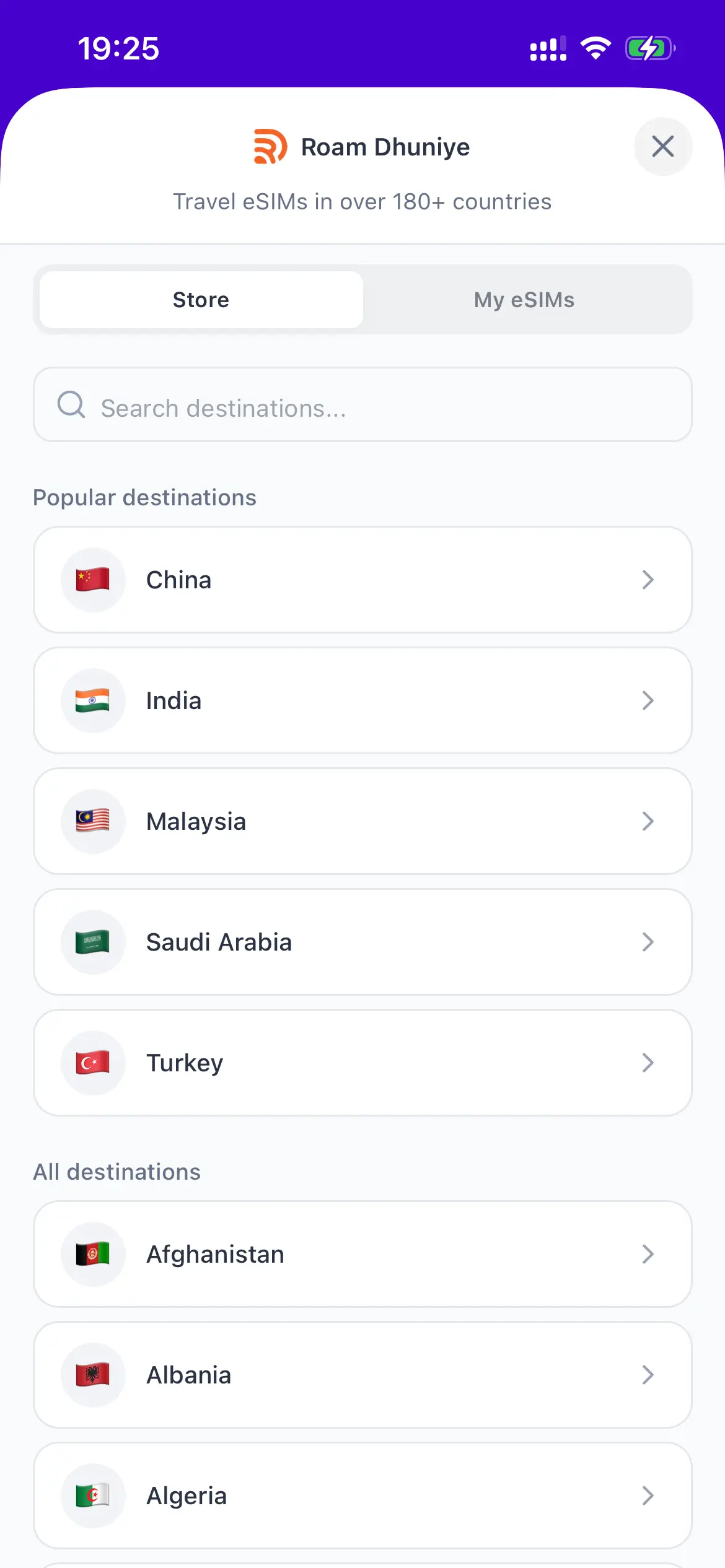
Open eSIM in the Payer app and search for your destination. Popular countries are at the top, every other country is listed below, and regional plans cover a whole trip across several countries on one eSIM.
- 02
Choose a plan
Each plan shows how much data it carries, how many days it runs for, the networks it roams on at the destination and its price in Rufiyaa. Pick the one that matches your trip.
- 03
Pay from your Payer wallet
Confirm and the price comes out of your Payer balance. No card, no foreign exchange, no international payment to explain to your bank. You pay in Rufiyaa from the same wallet you pay your bills with.
- 04
Install it in a tap
Buy it at home, install it at home. Payer hands the profile straight to your phone, so on most devices the whole install is one tap.
If your phone would rather do it the long way, the app walks you through your exact Settings path. It knows whether you're on an iPhone, a Samsung or a Pixel, and it can save or share the QR code so you can install from another device.
- 05
Land with data already working
Switch the plan on when you arrive and you're online before you leave the airport. My eSIMs shows how much data you have left and when the plan expires, so nothing runs out quietly.
Search your destination, or pick one from the list.
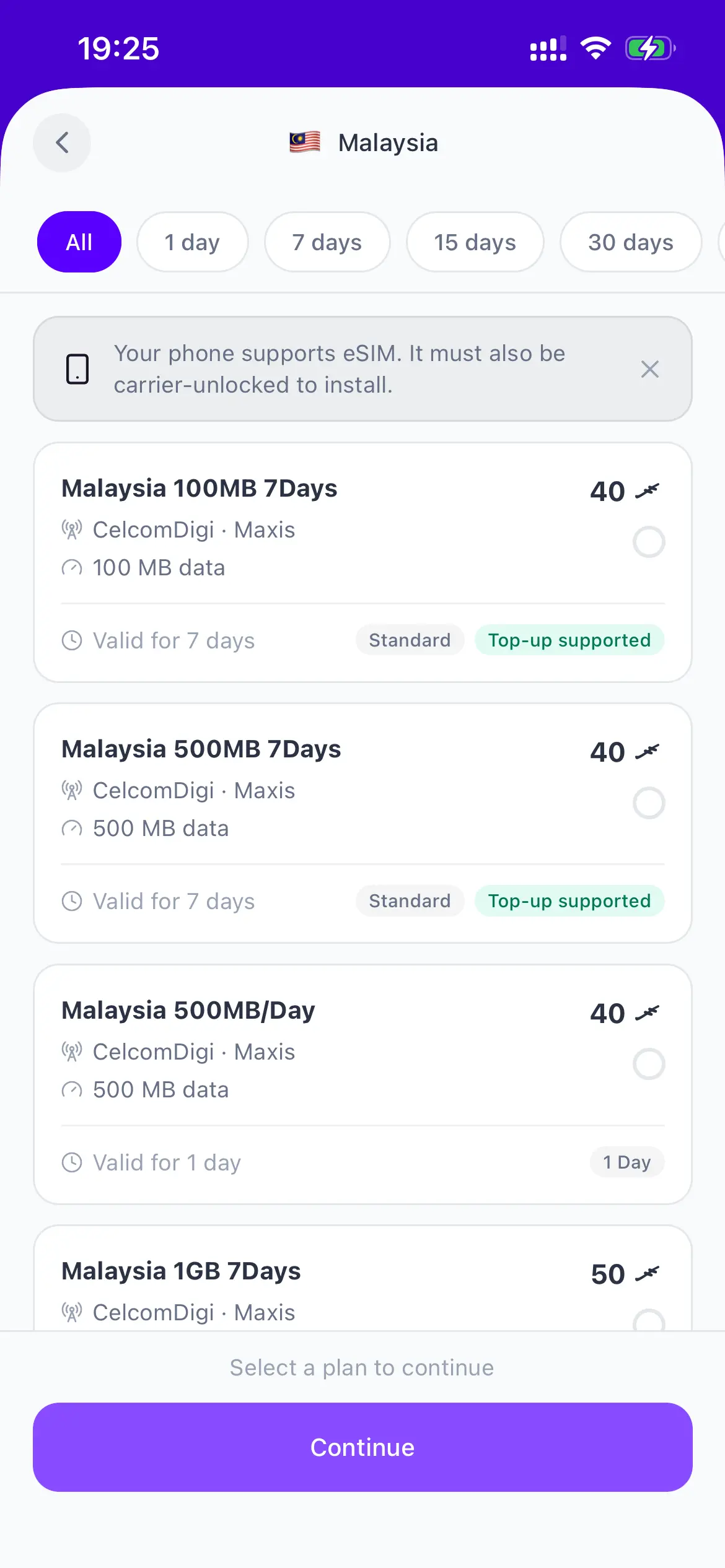
Every plan shows its data, its days, the networks it uses and the price in Rufiyaa.
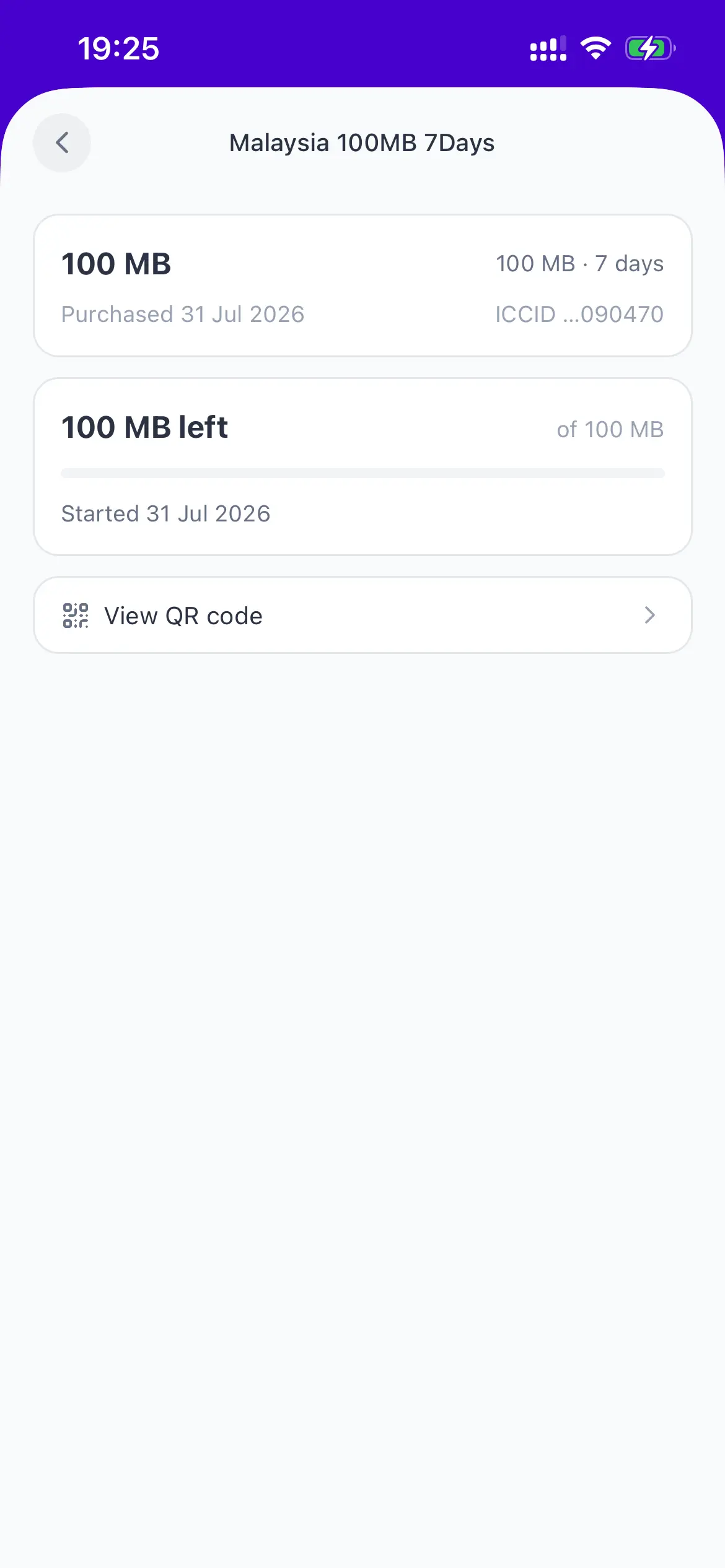
After you buy: data left, expiry, and the QR if you need it.
Before you buy
- Your phone needs eSIM support and must not be carrier-locked. The app checks before you buy and tells you if it can't be installed on that device.
- Your Maldivian number stays in the phone. The eSIM carries the data; calls and SMS on your normal number keep working as they always do.
- Plans, allowances and prices come from the provider and are shown in the app before you pay, in Rufiyaa.
- Buy and install before you fly. Installing an eSIM needs internet, which is the one thing you don't have when you land.
- The eSIMs are provisioned by Roam Dhuniye. Payer is an authorised sales partner, so the purchase, the receipt and the support sit in the same app as the rest of your payments.
Need balance first? Top up your wallet by bank transfer. It's usually credited within seconds.
New to Payer?
A licensed wallet for the Maldives
Payer is the app you buy the eSIM in. The same wallet pays your electricity bill, your internet, your mobile data and the shop down the road.
Payer has been building payments here since 2018, and has been licensed by the Maldives Monetary Authority since 2022. The app is free, there are no monthly fees, and you can read more about us before you sign up.
- One wallet, topped up from your bank
- Transfer from your bank account and the money lands in your Payer wallet, usually within seconds. That balance is what you spend from.
- Bills, recharges, QR and online
- Electricity, internet, cable TV, mobile recharge, cinema tickets, paying a shop by QR and checking out online, all in the same app.
- Licensed and safeguarded
- Payer is licensed by the Maldives Monetary Authority as a Payment Service Provider. Customer money is held in a safeguarded account with Maldives Islamic Bank, separate from the company's own funds.
Travel eSIMs: your questions
What is a travel eSIM?
An eSIM is a SIM card your phone downloads instead of one you put in a slot. A travel eSIM carries data at your destination, so you get online the moment you land without buying a local SIM or paying roaming charges to your home network.
How do I buy a travel eSIM in the Maldives?
Open the Payer app, tap eSIM, search for the country or region you're travelling to, pick a plan and pay from your Payer wallet balance in Rufiyaa. The eSIM is ready to install right after the payment.
Will it work on my phone?
It needs a phone with eSIM hardware that isn't carrier-locked. Most iPhones from the XS onwards and most recent Android flagships qualify. Payer checks your device before you buy and tells you if it can't install one.
Do I keep my Maldivian number?
Yes. The travel eSIM sits alongside your normal SIM and only carries data. Your Dhiraagu or Ooredoo number stays active for calls and SMS, and you choose which line data runs on.
When should I install it?
Before you fly, while you still have internet. Installing the profile needs a connection. You can install it early and only switch it on once you arrive.
Which countries are covered?
Over 180 countries, plus regional plans that cover several countries on one eSIM, which is useful for a trip that takes in more than one stop. The full list is in the app and is updated by the provider.
How do I know how much data is left?
The My eSIMs tab in the Payer app shows how much data the plan has left, when it started and when it expires, pulled live from the provider.
What if the install doesn't work?
The app falls back to a step-by-step guide written for your exact phone, and can save or share the QR code so you can install it from another device. If it still won't go, Payer support can look up the order.
Is Payer safe to buy from?
Payer is licensed by the Maldives Monetary Authority as a Payment Service Provider under the National Payment System Act. Customer money is safeguarded in a separate bank account, held on your behalf and never mixed with the company's own funds.
Still stuck? See all questions or talk to a human.
Let's get you started.
Pay bills, recharge and pay in store straight from your phone, with a licensed payment service provider behind every transaction.
Free to download. No monthly fees, no hidden charges.